|
|
 |
|
|
SUPPORT
> E-Mail
> Mail for Mac OSX Tutorial
Return to Support
How to configure Mail for Mac OS X to get your E-mail
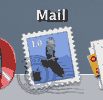
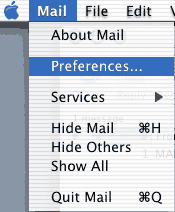
- Open Mail, click on the Mail menu, then "Preferences..."
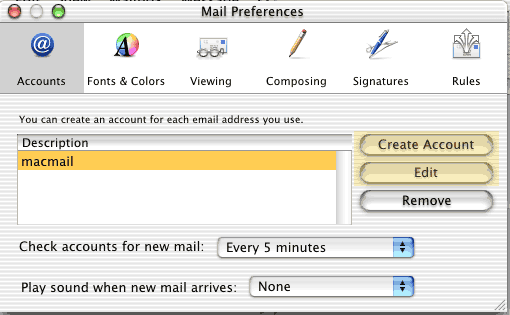
- This will bring up the Mail Preferences window.
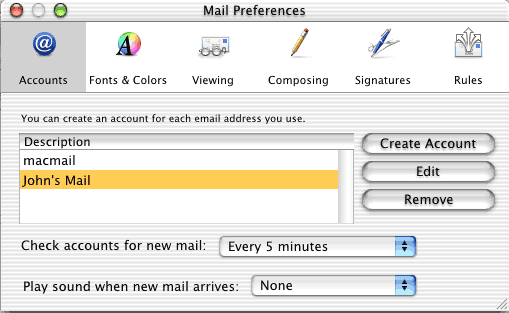
- We are Adding a new account in this tutorial, so we create a New
account.
- In the Account Information tab, fill out the information as follows:
- The Description can be whatever helps you distinguish
between this and other e-mail account sets in Mail.
- The Email Address is the address to be checked,
i.e. john@example.com
- The Full Name should be Whatever you want to appear
on mail sent from this computer/account.
- The Host name is the Incoming mail server, which
is always mail.your_domain.com
- The User name for the e-mail address is the same
thing as the e-mail address itself. I.e. john@example.com
- Use the Password you set up in your Netadmin when
creating the e-mail address.
- If you are able to use whichever SMTP server you want, use mail.your_domain.com
Note: Many ISPs now block mail from
being sent by third party mail servers. If your
ISP does this, you will have difficulty sending mail or reaching the
mail server. You will need to find out your ISP's SMTP server
and use it.
- Our Mail servers use Authentication (username and password) so input
that below the SMTP server. Be
sure to check the box that allows Authentication when sending mail!
The username and password should be the same as the
incoming mail server settings.

- After you have verified the mail settings, you will be able to send and
receive your mail!
|
ProHosting has hosted over 2,123,705 web sites since 1996!
|
|
|
|
|
|
|

